 Attestation Fiscale Québec
Never pay a subcontractor with an expired attestation.
Request, verify and share Revenu Québec attestations straight from your phone — every number is verified live.
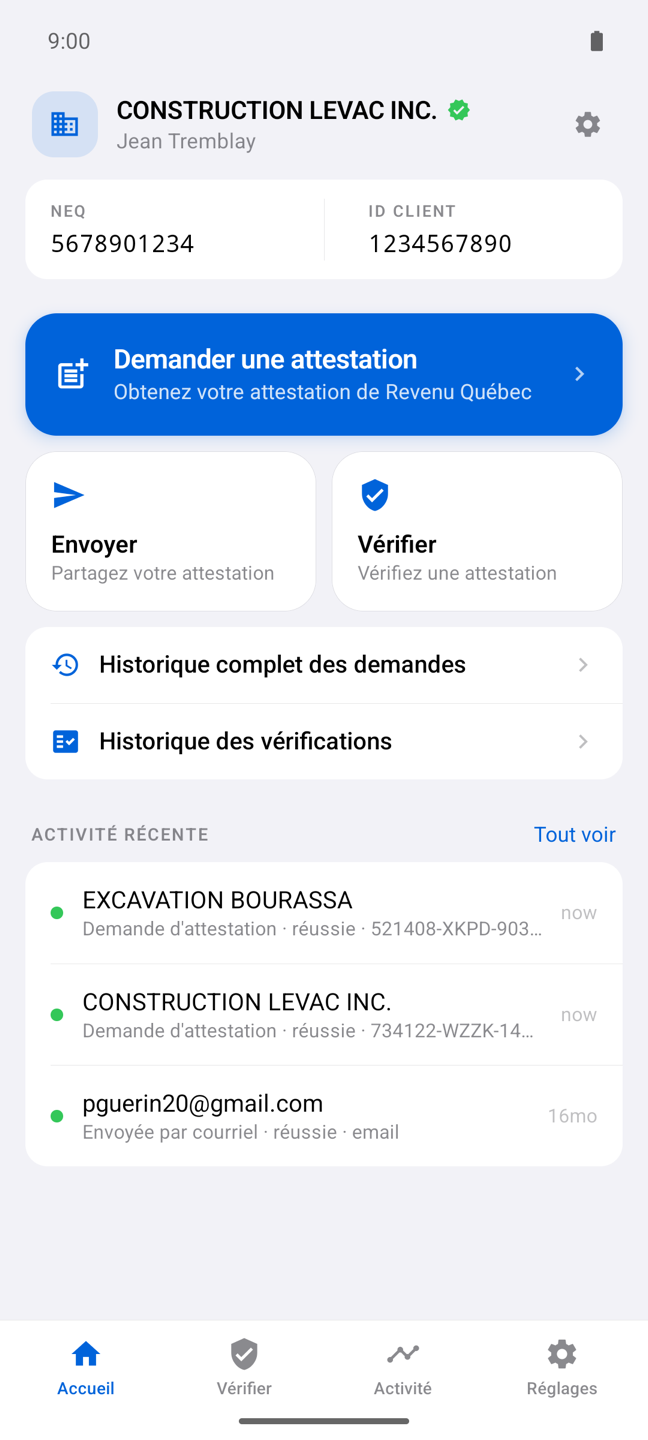
For contractors. And for their accountants.
A mobile app to obtain, verify and share your attestations. An Accountant Portal to track those of all your clients.
Mobile app
Request your Revenu Québec attestation from your phone, verify your subcontractors' live and share them by email, SMS or QR code. iPhone and Android.
Camera scan, verification history, Revenu Québec link supported.
Attestation requests, sending by email and SMS, PDF and expiry reminders.
Accountant Portal
All your clients' attestations, their expiry dates and every transmission in one dashboard. In the browser, or as a Mac and Windows app. Free for accountants.
Same account everywhere. App version 1.0.1 available now.
Import your client list today; QuickBooks Online (Intuit) sync is on its way.
Everything you need to manage tax attestations
Whether you hold your own attestation or verify your subcontractors' before paying.
You hold your attestation
Submit your requests directly to Revenu Québec through the app, with real-time status tracking.
Share your attestation by email or SMS, or download the PDF. Full history of every send.
Get notified before every expiry — yours or your subcontractors'.
You verify your subcontractors
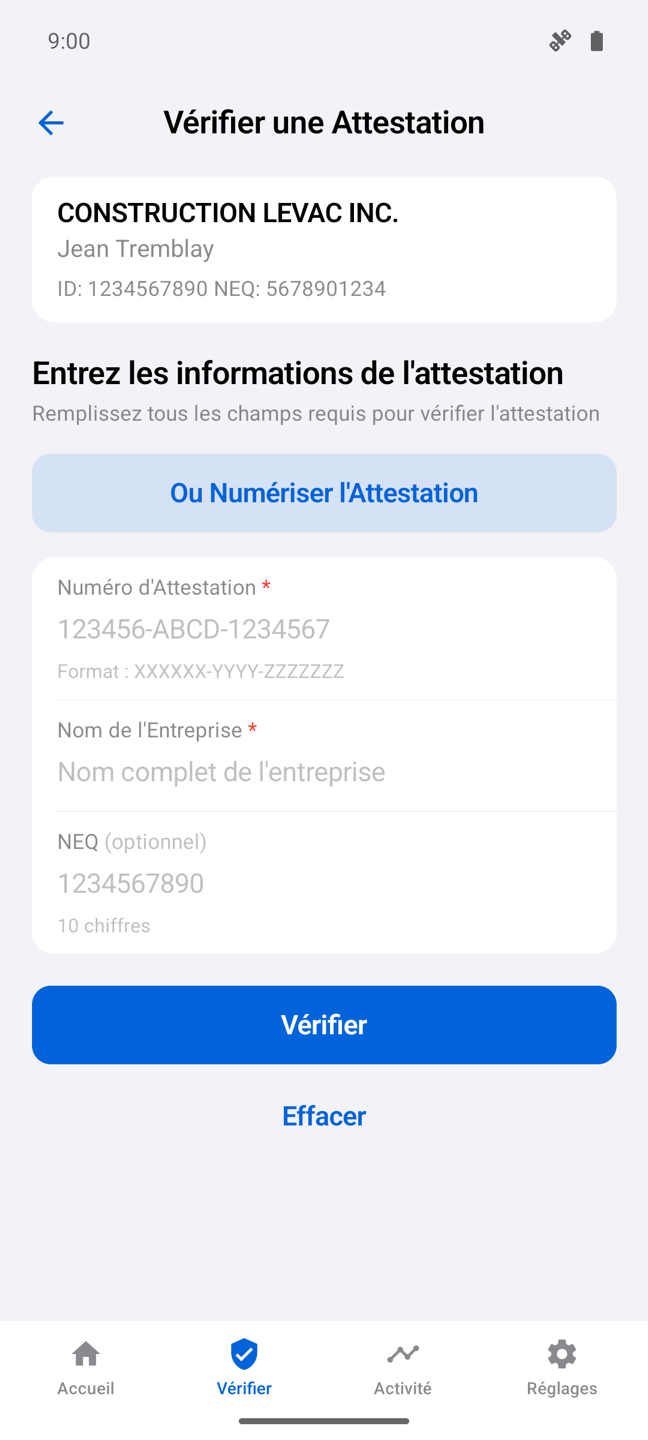
Enter an attestation number and get the verdict immediately: valid, expired or not found.
Photograph a paper attestation: the app reads the number, the NEQ and the business name automatically.
Keep a record of every verification made before paying a subcontractor.
From sign-in to attestation in minutes
No setup: your clicSÉQUR – Entreprises credentials are all you need.
Sign in with clicSÉQUR
Use the username and password of your clicSÉQUR – Entreprises (Revenu Québec) account. The connection is made directly between your device and Revenu Québec.
🔒 Your credentials are never stored on our servers.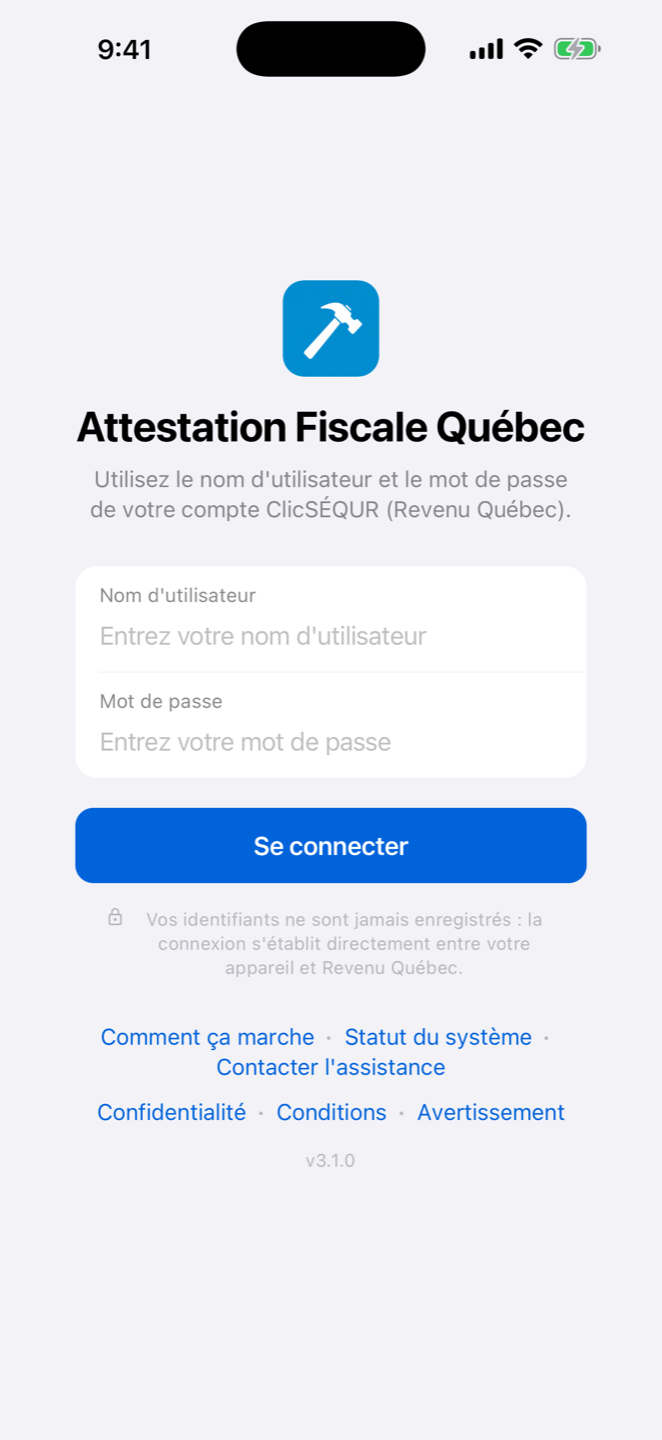
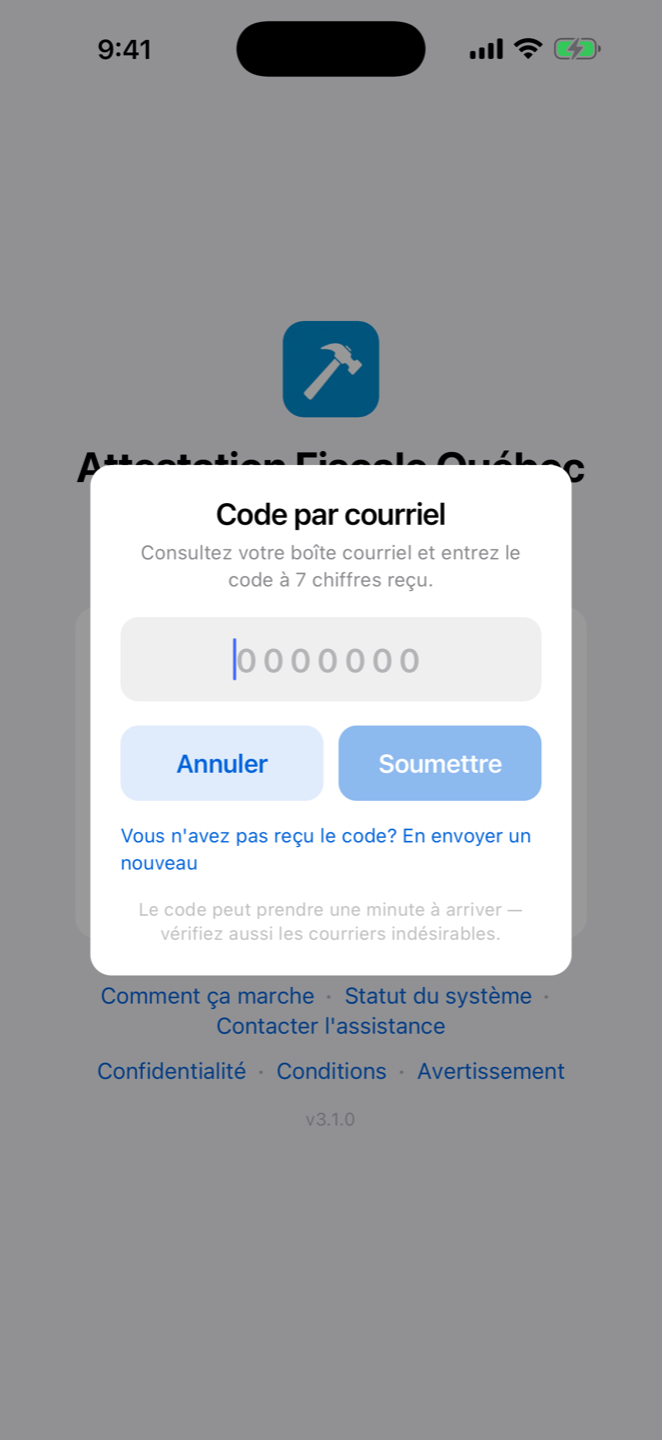
Enter the verification code
Revenu Québec sends a 7-digit code to your business email. Enter it in the app — it is the same two-factor authentication as on the official portal.
Request your attestation
One button, a few seconds: the app submits the request to Revenu Québec and retrieves your official attestation with its number.
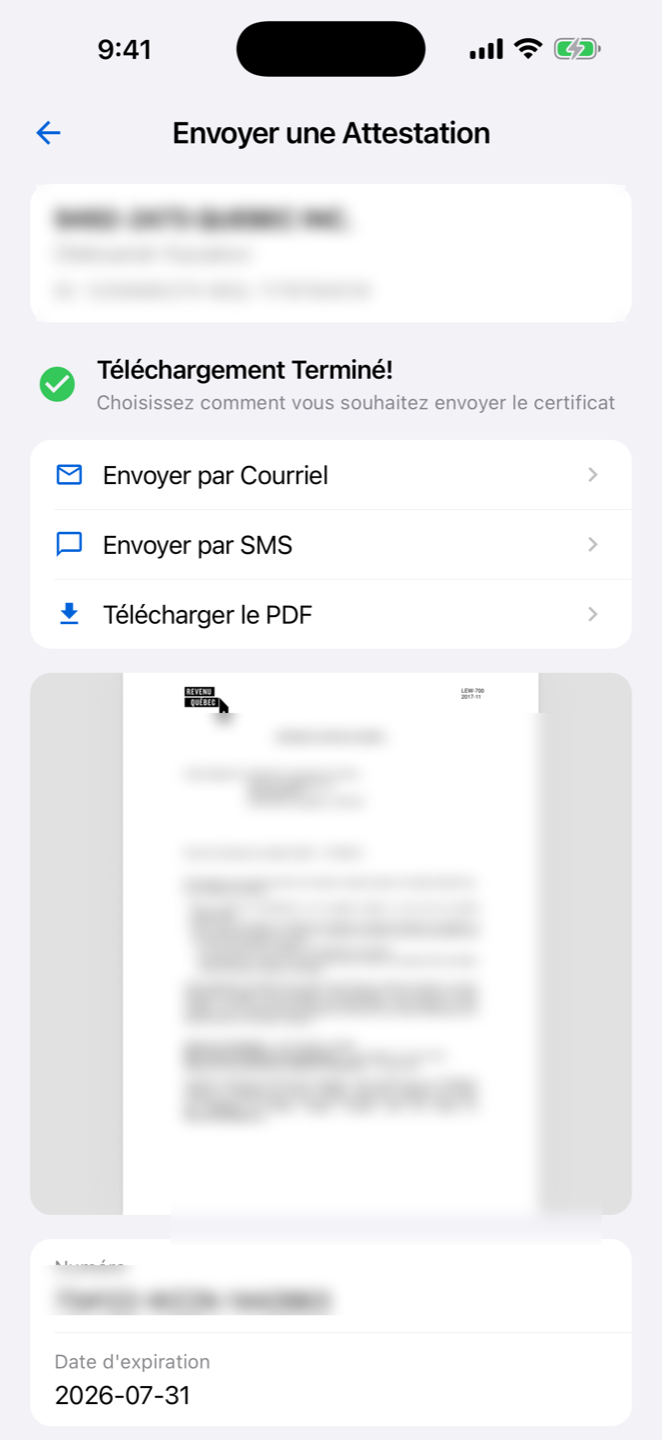
Share it or download the PDF
Send your attestation by email or SMS to your general contractors, or download the PDF. The recipient gets a link that verifies the attestation instantly.
Verify your subcontractors'
Type the number manually or photograph the paper attestation : automatic reading (OCR) extracts the number and the NEQ, then verifies them live with Revenu Québec.
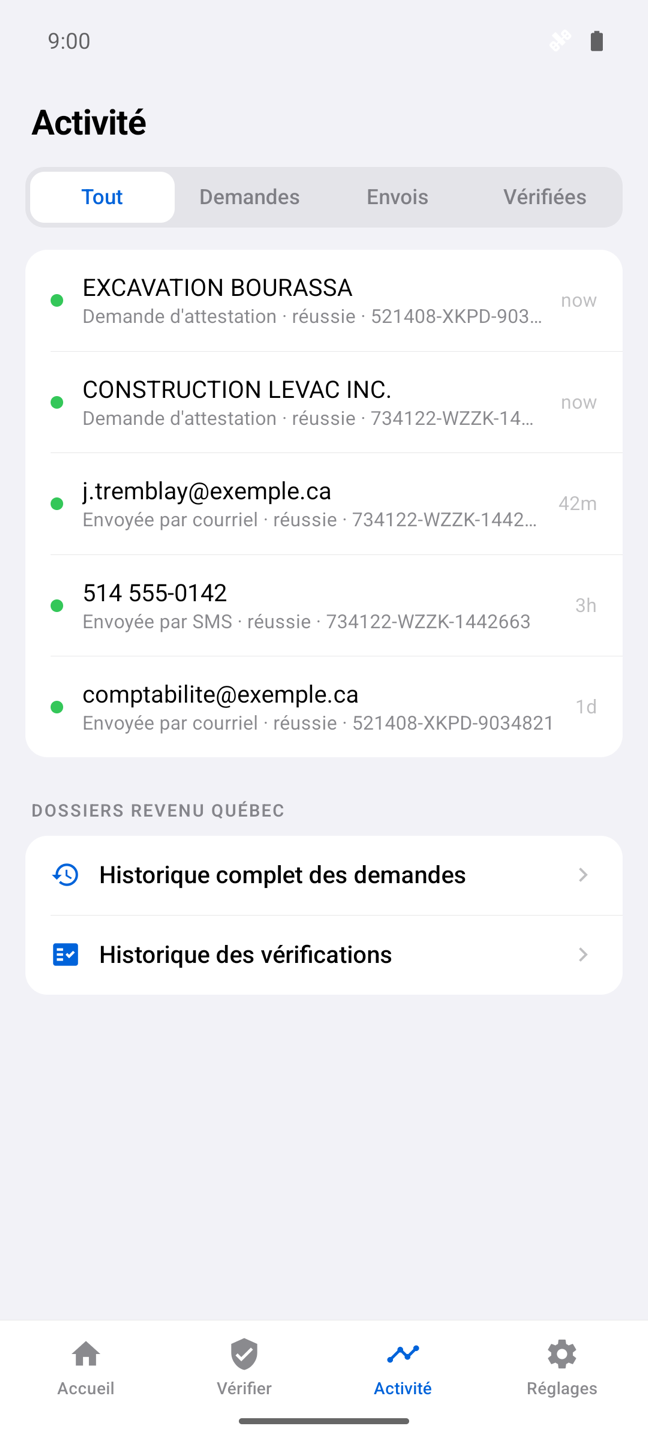
Track all your activity
Requests, sends and verifications in a single activity feed — your proof of due diligence, time-stamped and always at hand.
See the app in action
Start free, go Premium when you're ready
Downloading the app and verifying attestations are free. The Premium subscription unlocks requests and sharing.
Free
forever
- Live attestation verification
- Camera scan (OCR)
- Verification history
- Receive attestations via secure link
- Attestation requests
- Sending by email and SMS
Premium
or $149.99/year — save 37% that's ≈ $12.50/month — billed once a year
- Everything in Free
- Unlimited attestation requests
- Sending by email and SMS, with history
- Official PDF download
- Reminders before expiry
Subscription billed and managed by the App Store or Google Play. Cancel anytime. Prices in Canadian dollars, taxes extra.
Frequently asked questions
What do I need to request my attestation?
Are my clicSÉQUR credentials safe?
How much does the app cost?
Is the verification reliable?
I received an attestation by email or SMS. What now?
How do I cancel my subscription?
Is there a Mac or Windows version?
Is the app affiliated with Revenu Québec?
Questions? We're here.
Write to us and the team will get back to you quickly — in English or French.